






























DrawPro Suite – Maximize Efficiency and Quality in NX Drawing Creation and Review
DrawPro Suite is an advanced collection of productivity tools built for Siemens NX CAD drawing environments. It streamlines drawing creation, validation, and documentation automating repetitive tasks like BOM extraction, dimension inspection, view management and export formatting.
By combining multiple drafting utilities into a single toolbar, DrawPro Suite minimizes manual input, ensures compliance with customer standards and drastically reduces time-to-release for engineering drawings. It’s an indispensable toolkit for design teams focused on accuracy, efficiency and consistent deliverables.

Tool Overview
ModelMaster Suite integrates seamlessly within Siemens NX, providing a collection of intelligent modelling utilities designed to simplify, automate, and enhance 3D model creation. The suite enables designers to generate advanced curves, simulate mechanical components like gears and springs, visualize assemblies for review, and automatically produce comprehensive model reports. This results in faster design cycles, consistent CAD standards, and error-free documentation empowering teams to focus on design innovation rather than repetitive setup tasks.
Key Tools & Features
BOM Information
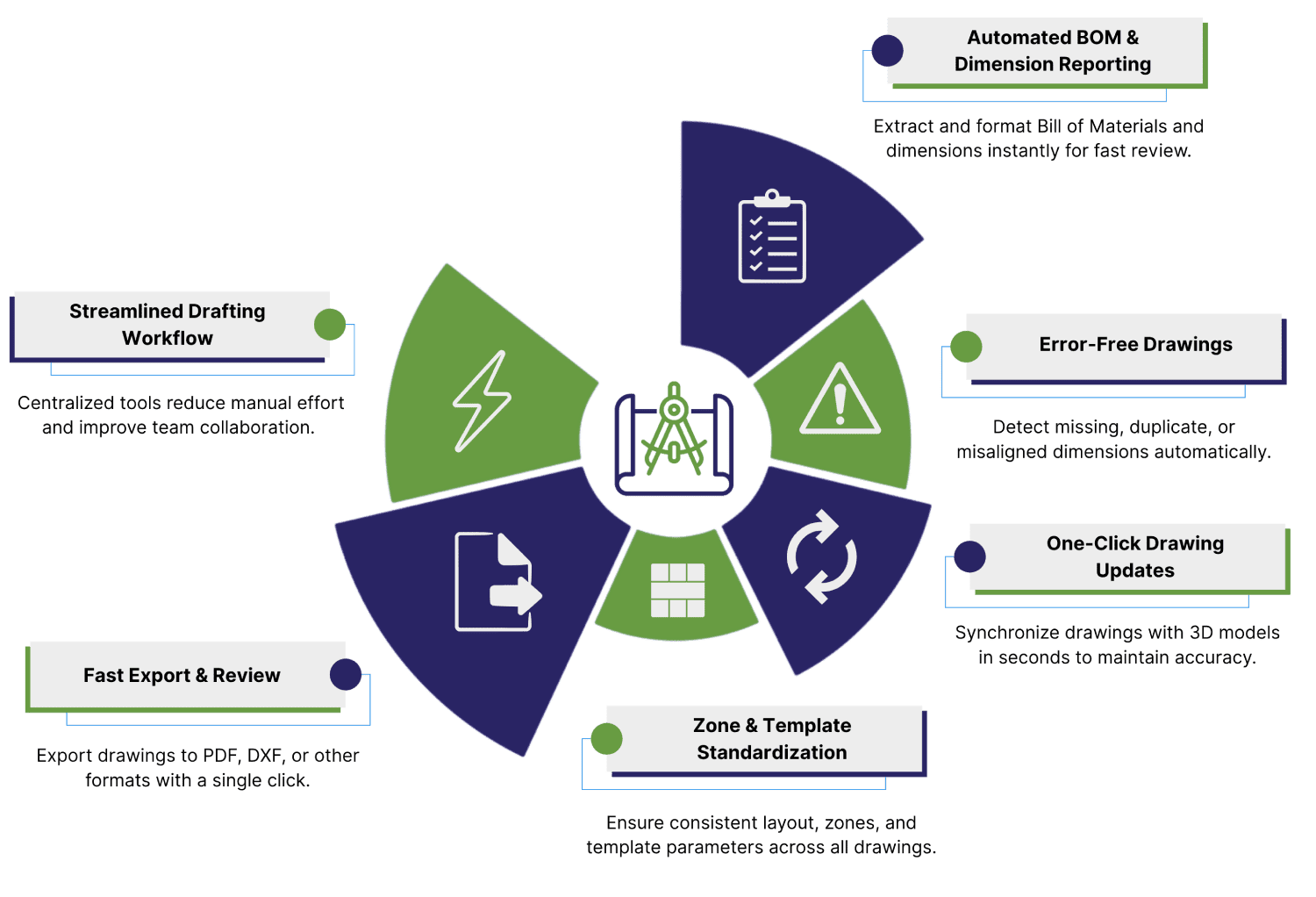
Extracts and formats Bill of Materials directly from the drawing for rapid review and sharing.
Drawing Update
Synchronizes drawing data with the 3D model, ensuring changes are always reflected.
View Scale Report
Reports scale factors applied to views, aiding review and quality checks.
Inspecting Dimensions
Analyzes dimension accuracy, completeness, and placement against CAD standards.
Overlapped Dimensions Adjustment
Detects and corrects overlapping dimension text for clarity.
Fit Text in Cell
Automatically resizes or adjusts table text to fit within table cells for legibility.
Views Zone Reporting
Identifies spatial zones of views for easier navigation and validation.
Zone Specification
Adds or analyzes grid/zoning details critical to large drawing layouts.
Drawing Template Parameters
Reports and adjusts template parameters for layout consistency.
Revision Table
Automates creation and management of revision tables for version control.
Table Tolerances
Summarizes and applies tolerance specifications within tables.
Dimension Decimal Classification
Classifies and reports decimal placement for all dimensions, ensuring compliance.
Dimension Classification
Provides quick overview of dimensions based on type and method.
Manual Dimension
Flags dimensions entered manually instead of derived from the model.
Dimension Not from the Model
Detects dimensions not linked to underlying CAD geometry to prevent errors.
View Dependent Edit
Allows edits restricted to specific drawing views for targeted updates.
Drafting Sketch and Geometry
Supports rapid creation and adjustment of drawing sketches and reference geometry.
Model to Master Model Drawing
Facilitates linking between production drawings and master models for associativity.
Production Drawing
Provides dedicated tools for preparing drawings for manufacturing release.
Misaligned Views
Highlights and helps correct misaligned drawing views for presentation.
Duplicate Dimensions
Reports and assists in removing duplicate dimensions for clarity.
Missing Dimensions
Detects missing dimensions required for manufacturing or inspection.
One Go D Export
Exports drawings to required formats (PDF, DXF, etc.) in a single automated step.
DrawPro Suite – Maximize Drawing Efficiency & Accuracy in Siemens NX
How It Works
Value Proposition
DrawPro Suite eliminates the manual, time-consuming steps of NX drawing validation. It unifies all essential drafting operations dimension audits, BOM extraction, zone mapping, revision control, and export automation into a single streamlined solution. By standardizing processes and reducing repetitive work, DrawPro Suite empowers design teams to focus on quality and innovation instead of manual formatting and verification.
🚀 Designer Benefits
Centralized access to all drawing productivity tools within Siemens NX
Automates validation, formatting, and reporting to ensure production readiness
Saves significant design time by minimizing repetitive manual checks
Guarantees standard-compliant documentation for manufacturing and client delivery
Simplifies cross-team collaboration with consistent and accurate drawing outputs
🏭 Industries Benefiting
Automotive and Aerospace Engineering
Industrial Machinery and Equipment Design
Electronics and Consumer Products
Medical Devices and Precision Engineering

💡 Target Users
- Design Engineers and NX Drafting Specialists
- CAD Managers and Quality Control Teams
- Manufacturing Engineers and Documentation Reviewers
- Supplier QA and Customer Collaboration Teams
👉 Ready to accelerate your NX drawing workflows?
Frequently Asked Questions (FAQs)
Does DrawPro Suite work with both parts and assembly drawings?
Can exports be customized per customer format?
Does it ensure drawings reflect model updates automatically?
Can it detect missing or duplicate dimensions?
Is it compatible with all NX versions?
Explore real-world Toolkit Solutions showcasing how NX CAD Tools deliver automated precision validation, streamline workflows, and enhance engineering outcomes with unmatched efficiency
DrawPro Suite